This is a guide to buying Battle Coins for the in-game shop.
First we need to make sure we are logged in to the account we want Battle Coins for, then we will go to the shop - 
After we have logged in and arrived in the shop, we will see that we have a button on the right with the donation page itself and on the left a code. We will click on that copy in order to copy the code.. now we can go to Donate on Ko-Fi! 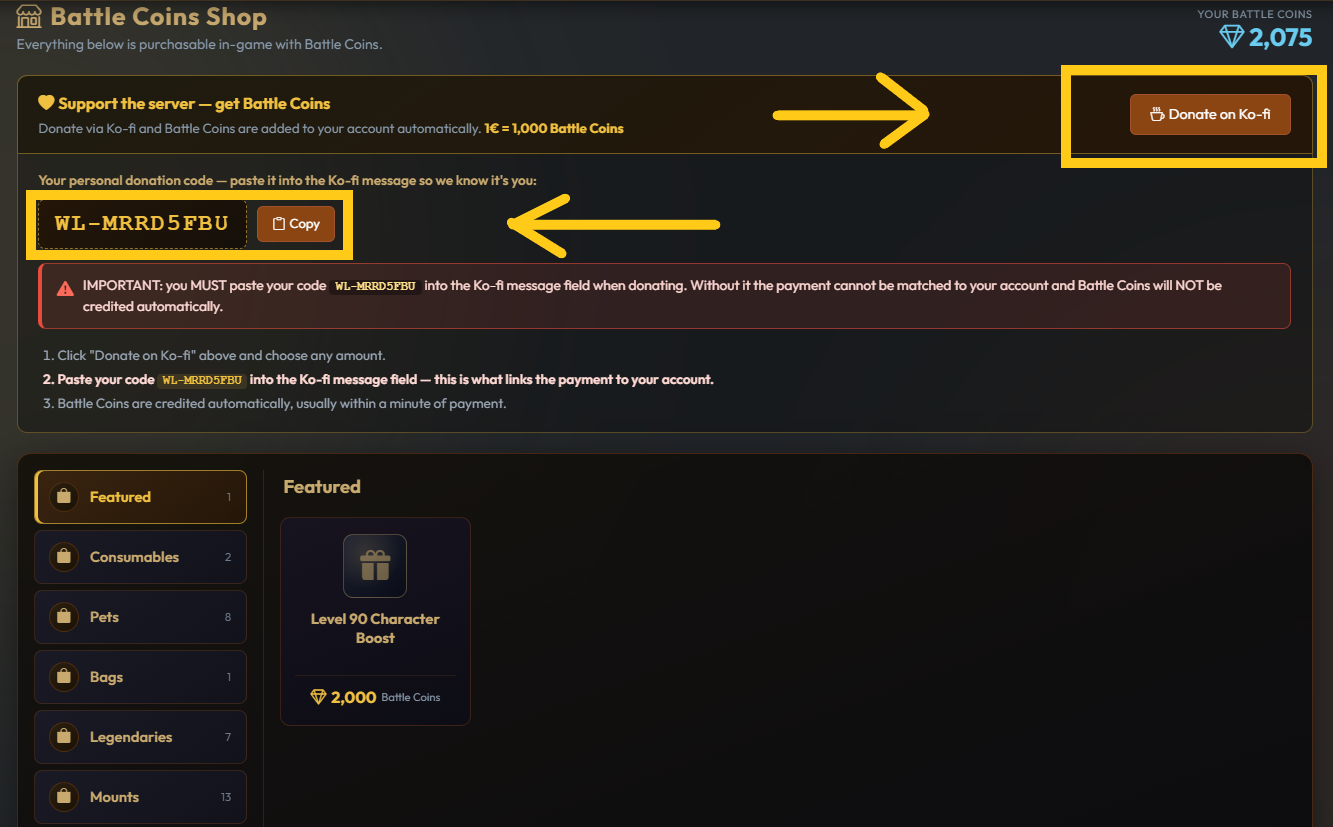
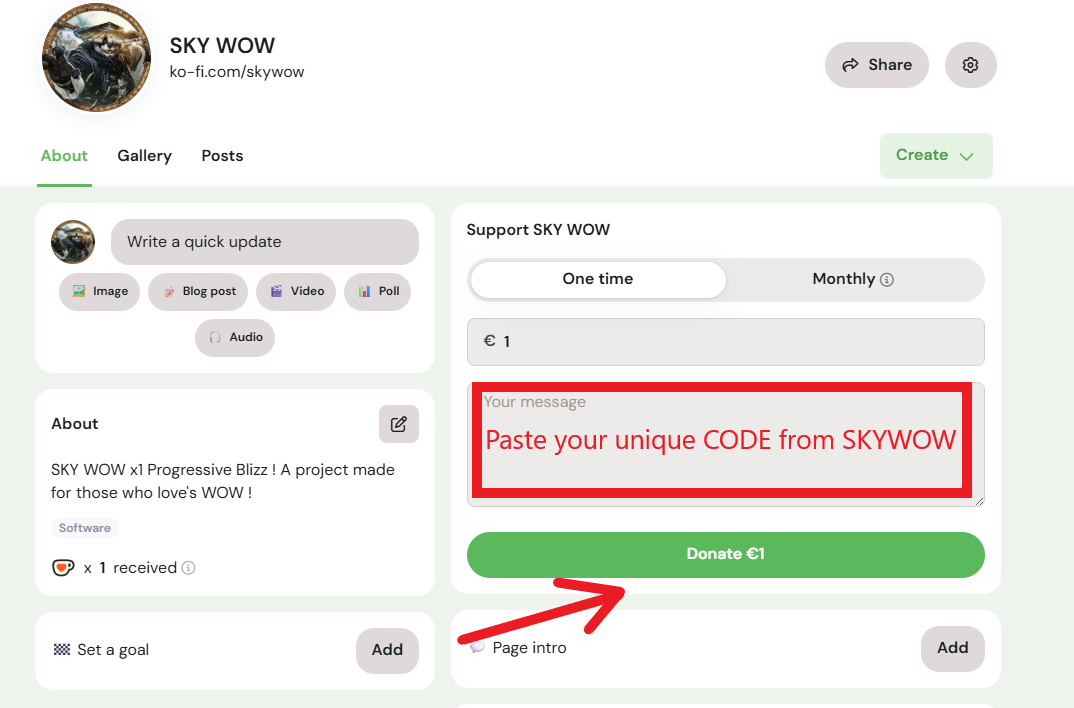
Now once you arrive on the payment platform you can set your donation 1 EU = 1000 Battle coins, and below a little you will see a space for a message there you will put the unique code that you just copied from the SkyWOW shop! then you can make the payment and the Battle Coins will come INSTANTLY!