In the first phase, the button will not appear if we are not logged in, so we log in and go to the shop interface.
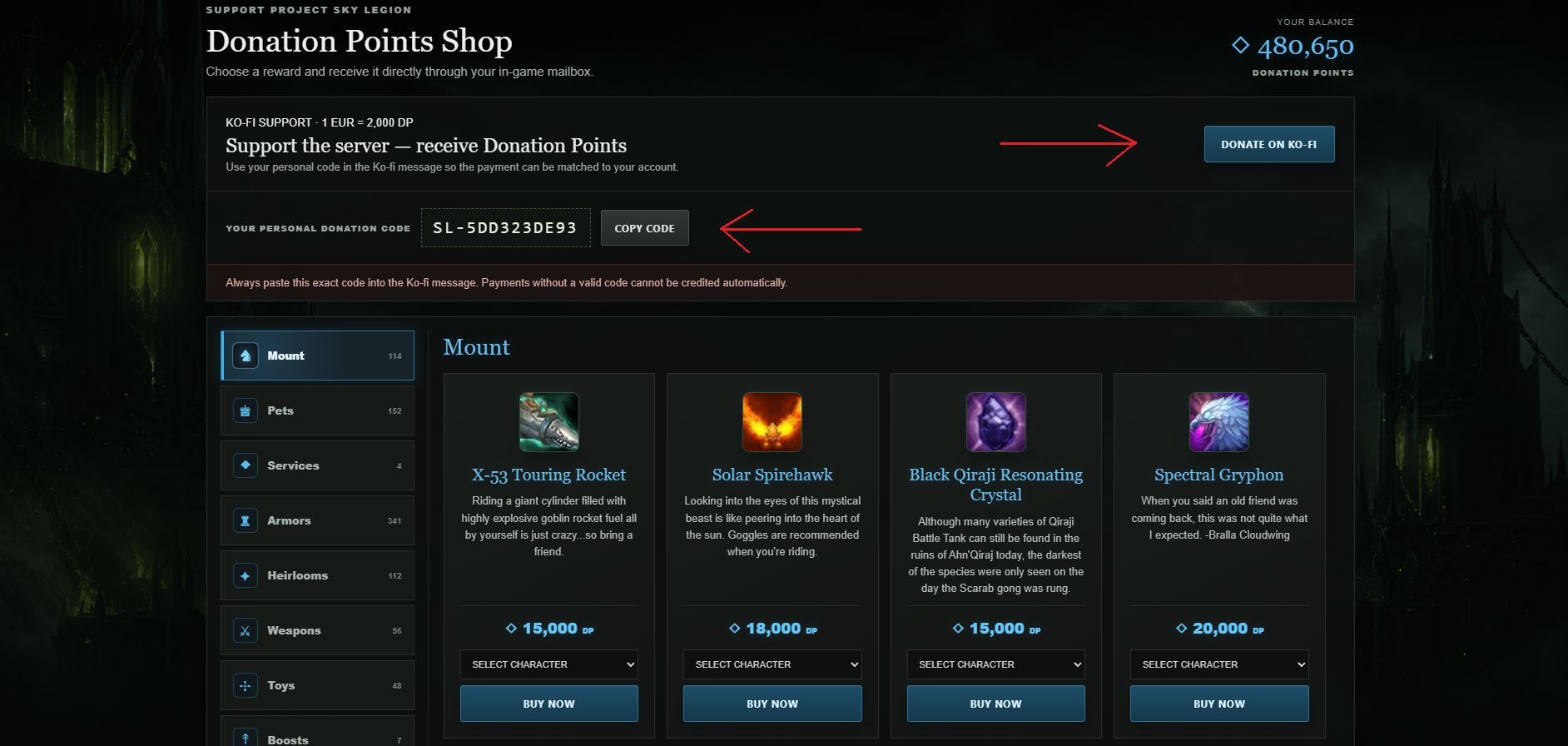
We will copy the code and click on Donate on KO-fi .
The link will take us to the KOFI website where the order is executed, remember that 1 E = 1000 DP usually, but there are also discounts that come with the time when the exchange rate is higher!
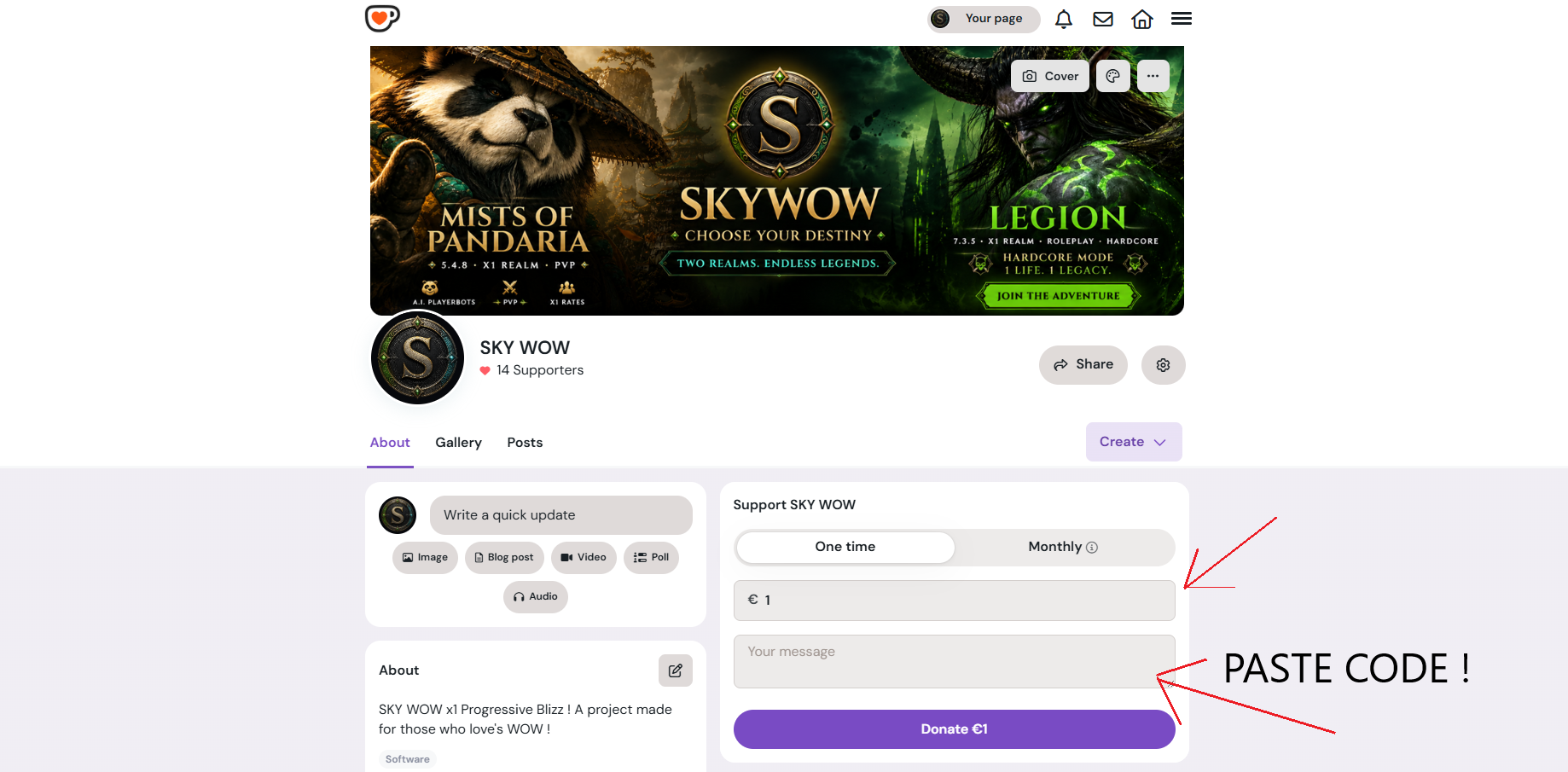
In the message box there, paste the code that I copied from SKYWOW, otherwise the system will not know who the donation came from to send the DP coins.
From there, personal data is available and is easy to enter. The important thing is that after the donation, the points will be added instantly!
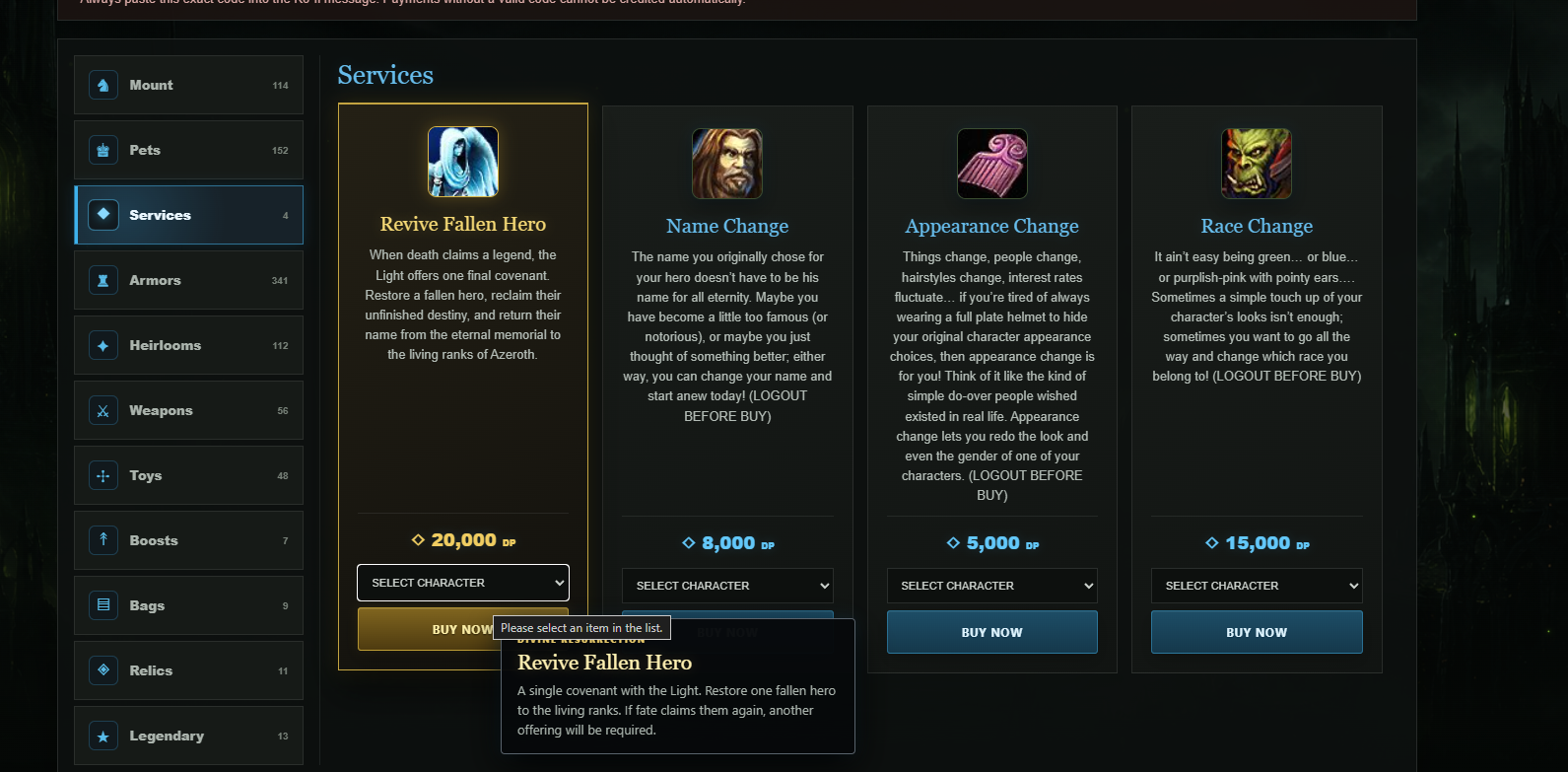
All items are easy to buy on the website, and arrive by instant email! Services require Logout from the character, for example if your character needs a rename or rearrangement, you will need to buy the service while the character is logged out, otherwise it will not let you buy.. the shop will warn you LOGOUT in red.
Have fun & Good LUCK !